How ESP32
PSRAM works
What Is PSRAM
You already know about the filing cabinet (flash) and the workbench (RAM). PSRAM is a second, much bigger workbench that some ESP32 modules have bolted on the side - it is a whole extra chip.
It is fast enough to work from directly, volatile like regular RAM (wiped at power-off), and typically 4 to 8MB in size. That is a significant chunk of space compared to the roughly 300KB of internal RAM your standard boards ship with. If you have it, use it.
Not all ESP32 modules include PSRAM. The AI Thinker ESP32-CAM, the ESP32 WROVER, and most ESP32-S3 modules have it. The standard ESP32 Dev Board (38-pin WROOM module) does not.
When To Use It
PSRAM is ideal for things that are too large to fit in internal RAM but need to be actively worked on at runtime.
- A full display framebuffer
- Camera frames (the ESP32-CAM uses it for this automatically)
- Large audio buffers
- JSON documents being parsed
- Bitmap or image data being processed before display
Things that exist temporarily while your program is doing something with them, then get discarded.
Allocating into PSRAM
Use ps_malloc() instead of malloc() to explicitly allocate in PSRAM.
uint8_t* buffer = (uint8_t*) ps_malloc(500000); // 500KB from PSRAMOr use heap_caps_malloc() for the same result with more explicit control:
uint8_t* buffer = (uint8_t*) heap_caps_malloc(500000, MALLOC_CAP_SPIRAM);Both do the same thing. ps_malloc() is the shorthand. heap_caps_malloc() makes the intent obvious when reading the code. Always check the result before using the pointer:
if (buffer == NULL) {
    // allocation failed - PSRAM may not be available or may be full
    return;
}malloc() automatically via CONFIG_SPIRAM_USE_MALLOC. In newer versions of the core it is already enabled by default - but it gets reset when you update the Arduino core. Do not rely on it. If you want something in PSRAM, use ps_malloc() explicitly and you always know where it ended up.
Checking Your PSRAM
Upload this sketch and open the serial monitor at 115200 baud.
/*
 * We stand on the shoulders of giants when we build
 * with knowledge gained from others' efforts.
 * That doesn't make us giants. Be humble.
 * Create with care. Open source is the way.
 *
 * ESP32 PSRAM Report
 * ------------------
 * Detect PSRAM and report size and free bytes.
 *
 * Board:   ESP32 modules with PSRAM (AI Thinker, WROVER, S3)
 *
 * Open source - MIT Licence
 * Electronic Zoology - field notes from the garage
 * https://electroniczoology.com/guides/how-esp32-psram-works
 */

void setup() {
    Serial.begin(115200);
    delay(1000);

    Serial.println("--- PSRAM Report ---");

    if (psramFound()) {
        Serial.println("PSRAM found.");
        Serial.printf("PSRAM size:      %u bytes\n", ESP.getPsramSize());
        Serial.printf("Free PSRAM:      %u bytes\n", ESP.getFreePsram());
    } else {
        Serial.println("No PSRAM found on this module.");
    }
}

void loop() {}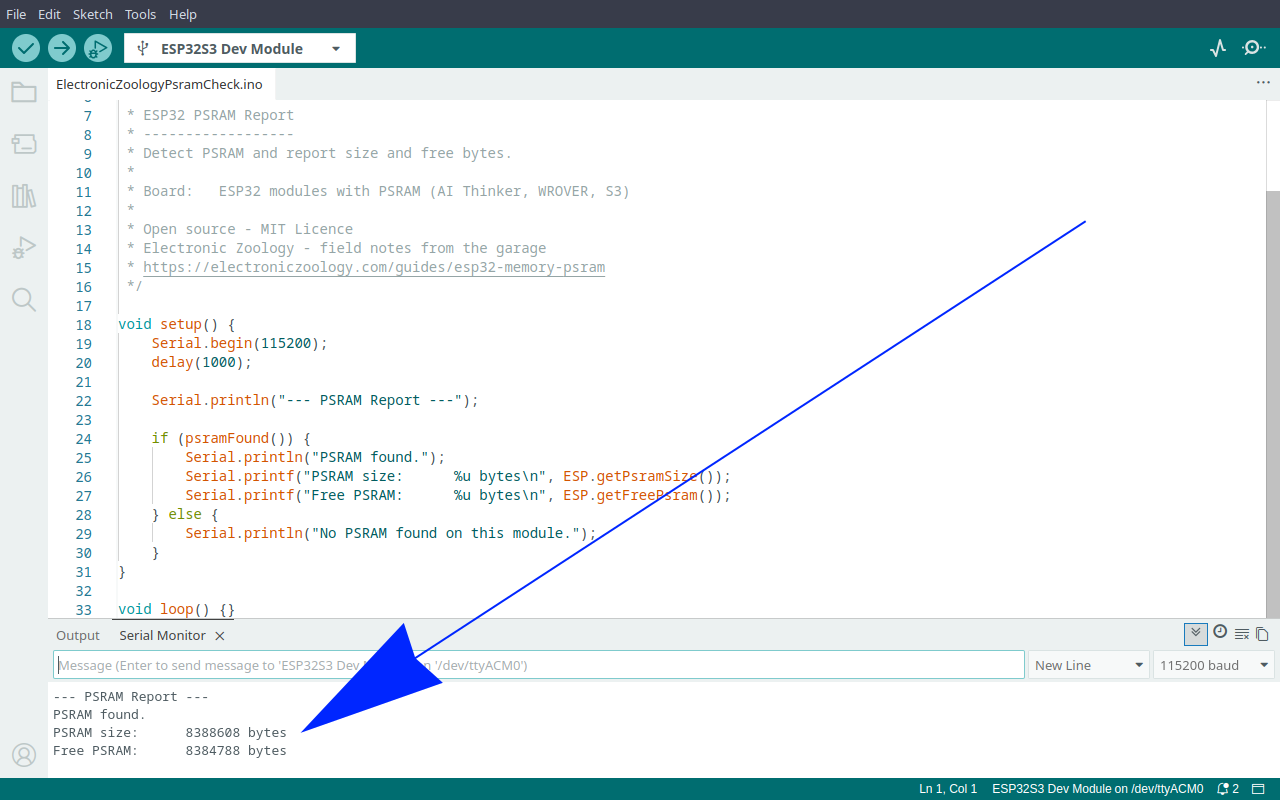
A Real World Example
The ESP32-CAM is the clearest example of why PSRAM exists.
When the camera captures a frame it needs somewhere to put a full JPEG. A VGA frame at 640x480 can be 50 to 100KB depending on quality settings. Internal RAM is already mostly consumed by the WiFi stack before the camera even starts. There is simply nowhere to hold a full frame without PSRAM.
The camera library allocates the frame buffer directly into PSRAM using ps_malloc() under the hood. You do not have to do it yourself - the library handles it - but without PSRAM available the allocation fails and the camera cannot function at all.
That is why the AI Thinker ESP32-CAM ships with 4MB of PSRAM as standard. It is not optional for that use case.