How ESP32 flash
memory works
What Is Flash
Your ESP32 has a flash memory chip that acts as permanent storage. When you upload your sketch, everything goes here.
Flash is non-volatile, meaning it persists beyond reboots and power cycles. This is where your program lives permanently.
Flash is slow to read compared to RAM and PSRAM. You cannot freely write to it at runtime, Think of it as the filing cabinet. You do not do your actual work in the filing cabinet. You go to it, grab what you need, bring it to your workbench (RAM, PSRAM), work on it there, and when you are done it goes back.
On most ESP32 modules the flash chip is 4MB. That is your total budget for everything: your sketch code, your images, your web files, all of it. How you divide that 4MB is up to you - that is covered in the partition scheme section.
The key thing to understand about flash is that it is permanent storage, not working memory. It is where things live, not where things happen.
Checking Your Flash
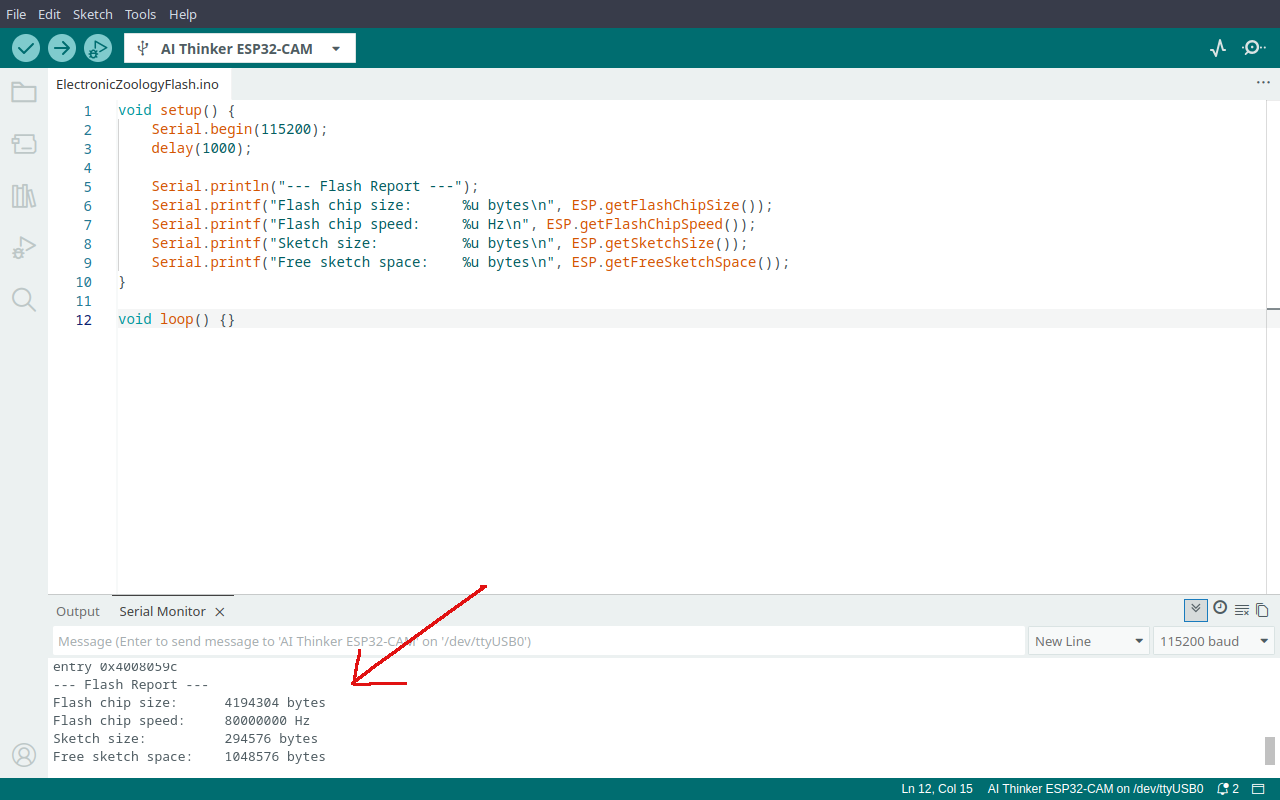
You can ask the ESP32 to report on its own flash at runtime. Upload this sketch and open the serial monitor at 115200 baud.
/*
 * We stand on the shoulders of giants when we build
 * with knowledge gained from others' efforts.
 * That doesn't make us giants. Be humble.
 * Create with care. Open source is the way.
 *
 * ESP32 Flash Report
 * ------------------
 * Report flash chip size, speed, sketch size, and free sketch space.
 *
 * Board:   Any ESP32
 *
 * Open source - MIT Licence
 * Electronic Zoology - field notes from the garage
 * https://electroniczoology.com/guides/how-esp32-flash-memory-works
 */

void setup() {
    Serial.begin(115200);
    delay(1000);

    Serial.println("--- Flash Report ---");
    Serial.printf("Flash chip size:      %u bytes\n", ESP.getFlashChipSize());
    Serial.printf("Flash chip speed:     %u Hz\n", ESP.getFlashChipSpeed());
    Serial.printf("Sketch size:          %u bytes\n", ESP.getSketchSize());
    Serial.printf("Free sketch space:    %u bytes\n", ESP.getFreeSketchSpace());
}

void loop() {}What each line tells you
Flash chip size- the total capacity of your flash chip. Typically 4194304 bytes (4MB).Flash chip speed- how fast the ESP32 talks to the flash over SPI. Usually 80000000 Hz (80MHz).Sketch size- how many bytes your compiled code is actually using.Free sketch space- how much room is left in the sketch partition for your code to grow into.
Partition Scheme
In the Arduino IDE under Tools you will find a Partition Scheme dropdown. This controls how your 4MB of flash is carved up.
From the generic options available, Huge App gives you the most sketch space - 3MB. If you need a large filesystem instead, No OTA (1MB APP/3MB SPIFFS) flips that around and gives you 3MB for files. The tradeoff is only 1MB for your sketch code.
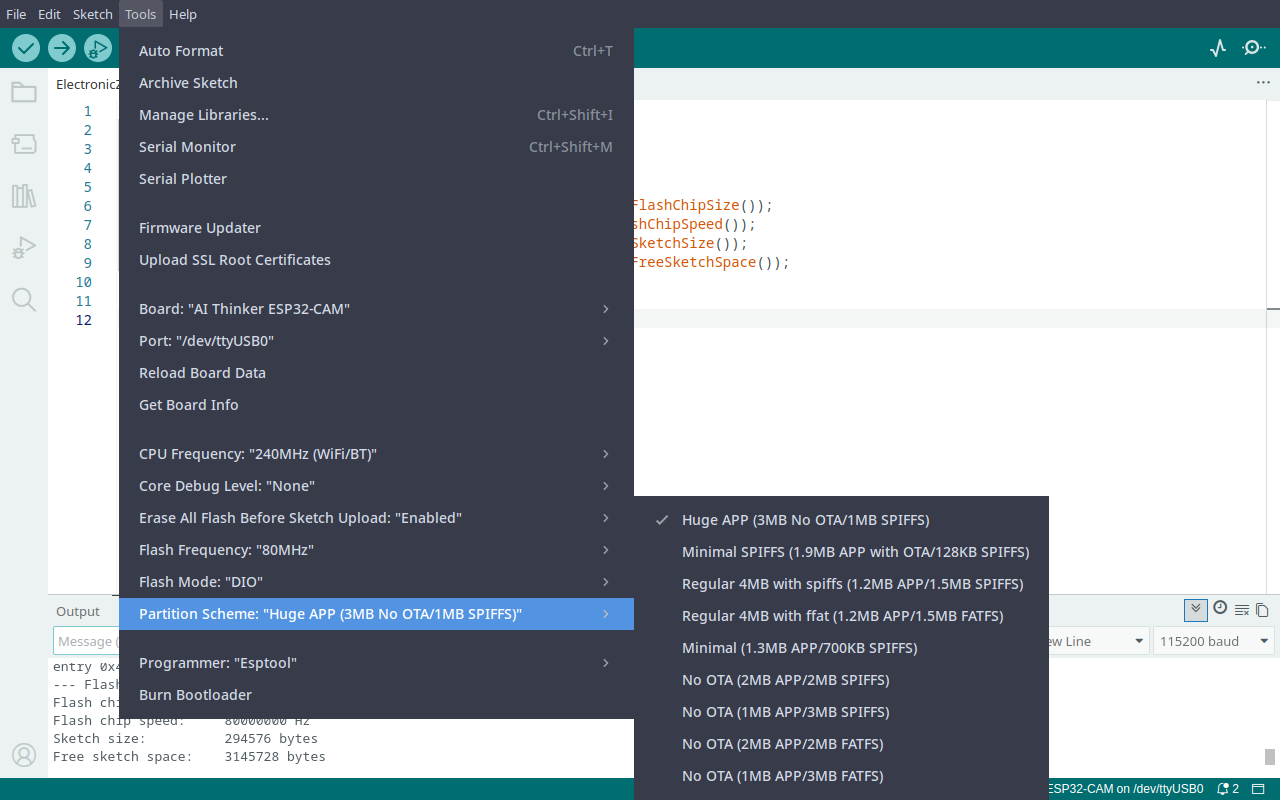
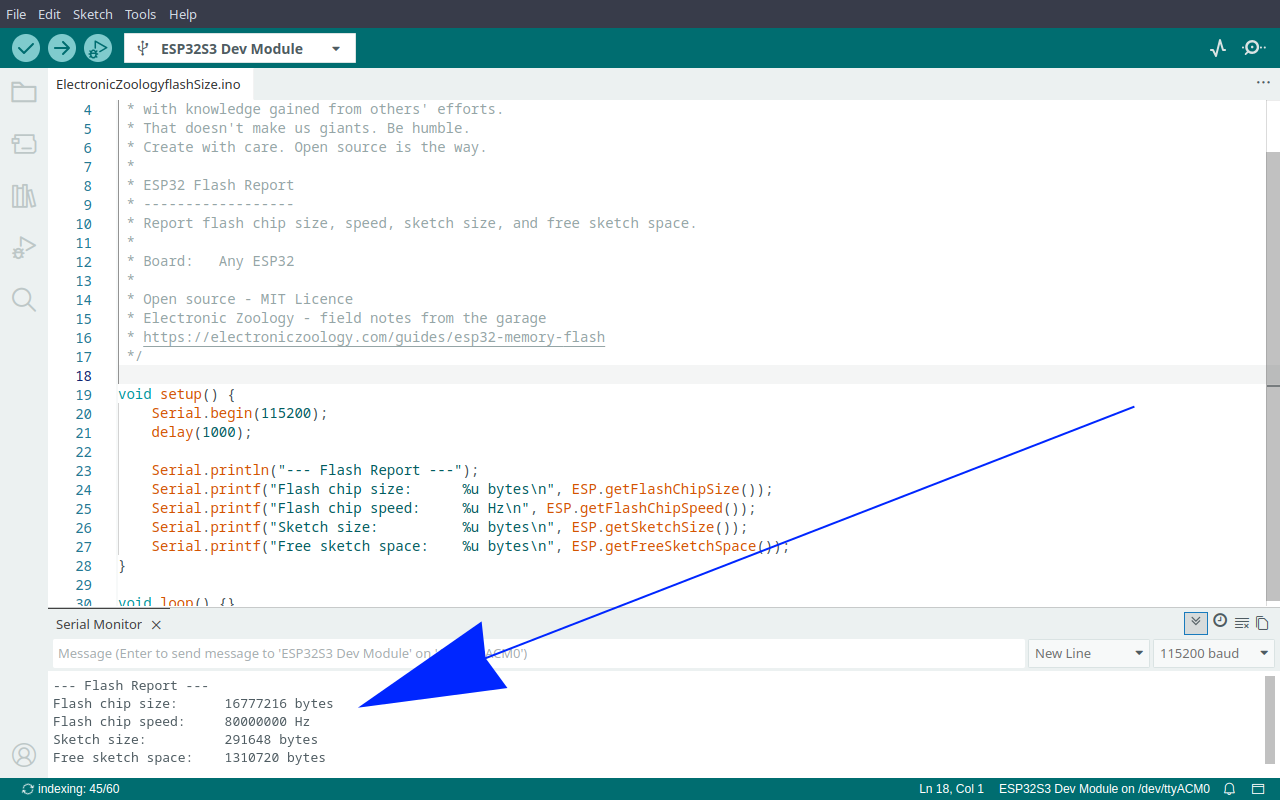
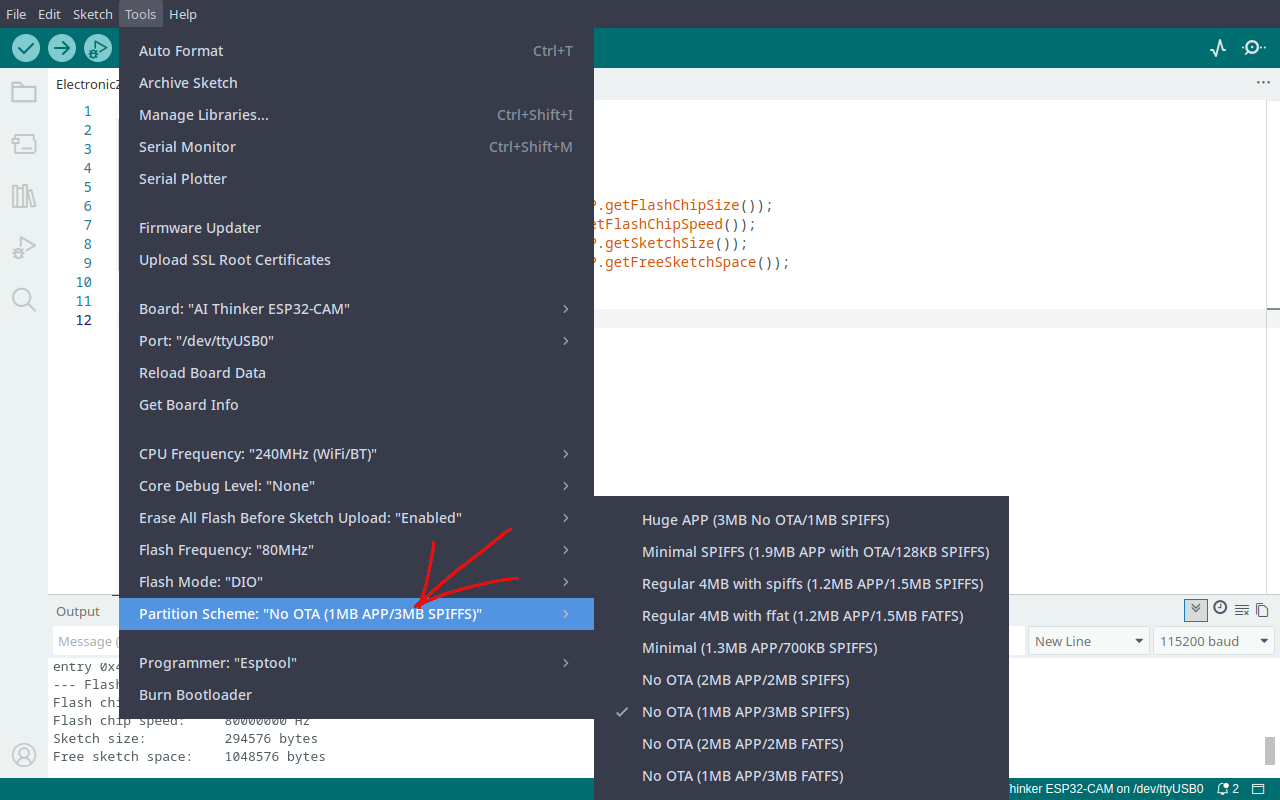
The partition options shown here are for a standard 4MB ESP32. The options available in the dropdown change depending on your board's flash size - a 2MB chip has fewer choices, while an 8MB or 16MB chip unlocks larger splits. If an option you expect is missing, check your board's flash size first. If nothing fits, you can write a custom partition table to divide flash exactly how you need it.