How to configure the
GC9A01 round display
with TFT_eSPI
Overview
The GC9A01 is a 240x240 round IPS TFT display driven over SPI. It is write-only - no MISO line needed. The breakout module includes onboard voltage regulation so it runs from 3.3V or 5V.
This page covers the User_Setup.h config to drive it with TFT_eSPI. Once this config is in place, use the How to set up TFT_eSPI with ESP32 - test sketch to confirm it is working.
Wiring
| Display Pin | ESP32 Pin | Notes |
|---|---|---|
| VCC | 3.3V or 5V | Module has onboard regulator - accepts both |
| GND | GND | |
| SCL | GPIO 18 | SPI clock |
| SDA | GPIO 23 | SPI data (MOSI) |
| DC | GPIO 2 | Data / command select |
| CS | GPIO 15 | Chip select |
| RST | GPIO 4 | Reset |
| MISO | GPIO 19 | Optional - connect if your module has it |
If your module has a BL (backlight) pin, tie it to 3.3V.
Config
1. Open User_Setup_Select.h
Open ~/Arduino/libraries/TFT_eSPI/User_Setup_Select.h. Comment out the default line and uncomment Setup46:
//#include <User_Setup.h>           // comment this out
#include <User_Setups/Setup46_GC9A01_ESP32.h>  // uncomment this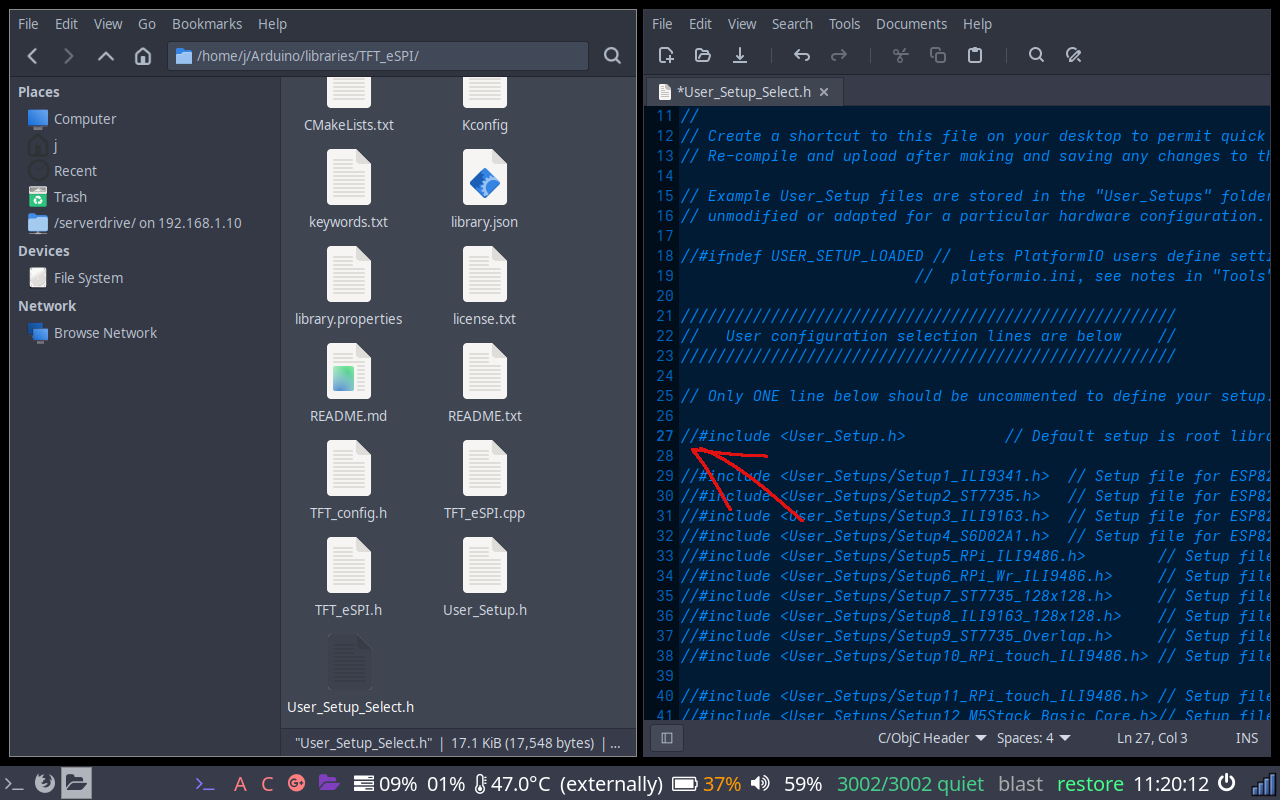
Before - default active
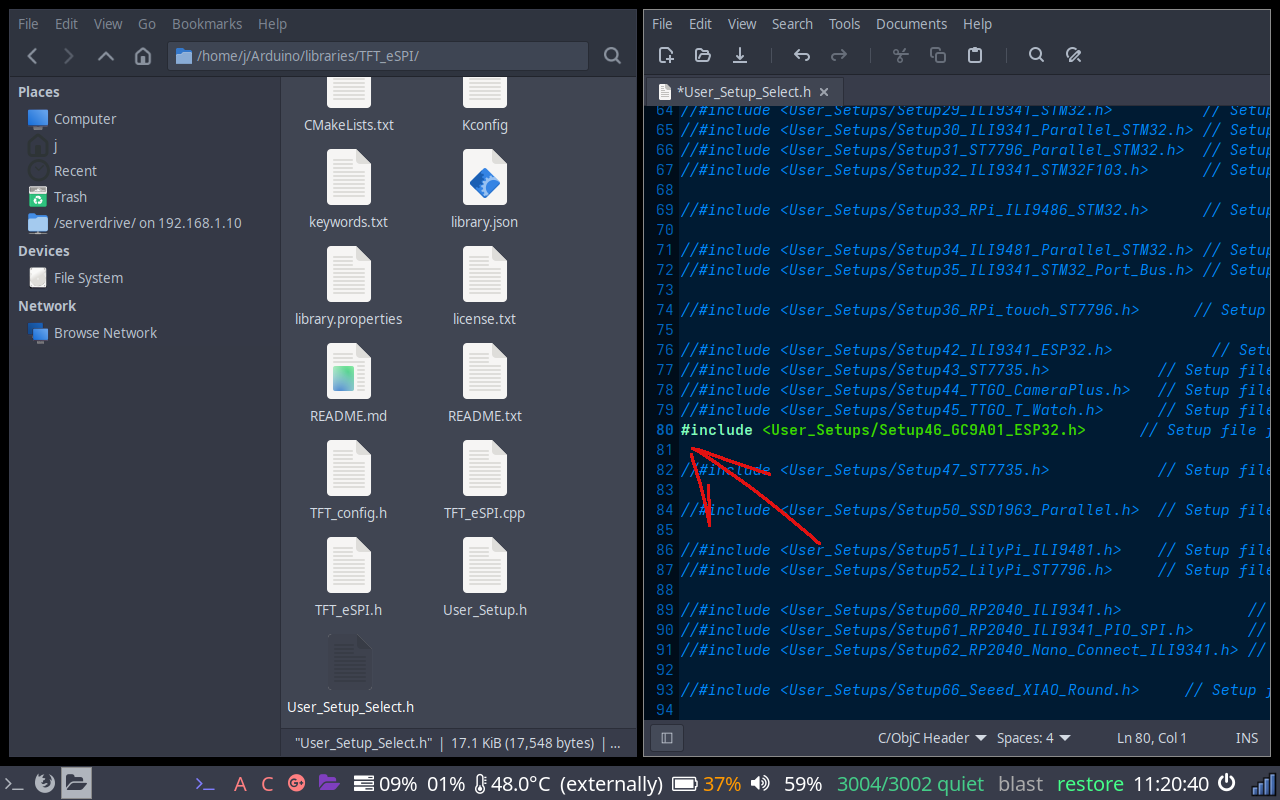
After - Setup46 uncommented
2. Check Setup46 pins
The default pins in Setup46_GC9A01_ESP32.h already match the wiring above - no changes needed. Open the file and confirm yours looks like this:
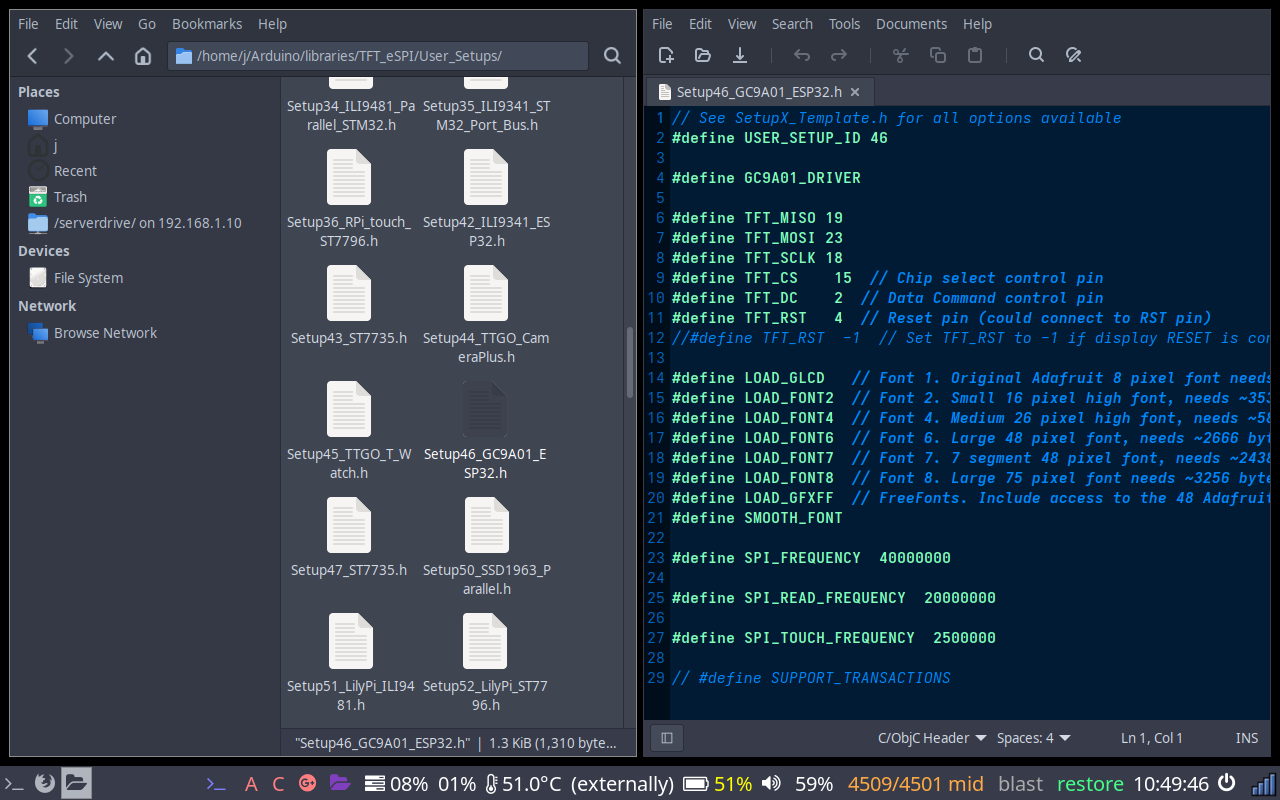
Setup46_GC9A01_ESP32.h - default pin definitions
Notes
SPI speed
27MHz is a safe starting point. The GC9A01 can run faster - try 40000000 once confirmed working for smoother animation.
Rotation
The GC9A01 is a round display so rotation matters less visually, but tft.setRotation(0) through 3 rotates the coordinate origin. Use whichever matches how your display is mounted.
White screen after flashing
Almost always a wiring issue - DC and CS are the most commonly swapped pins. Check RST is connected and not floating.