How to keep a copy
of your sketch
in LittleFS
You pick up a board off the shelf. It is wired to something, half-built, and you cannot remember what. You wrote this six months ago and the source is in a folder somewhere, on a laptop somewhere, or nowhere at all. The fix is to put a copy of the sketch on the board itself. Plug it in, ask the board what it is, and the board tells you.
The Setup
Make a data folder next to your sketch and put the .ino inside it as sketch.ino:
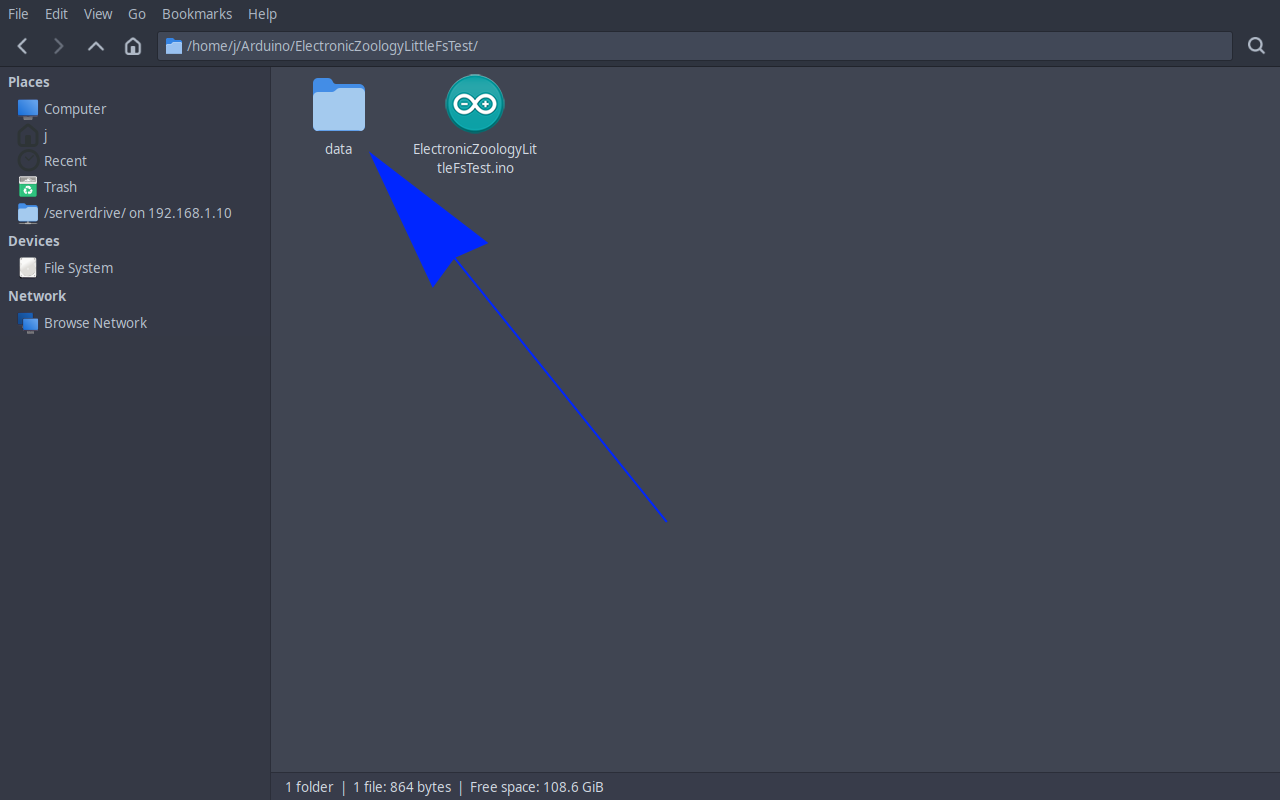
Two files in two places means one of them goes stale the moment you edit the other. On Linux a symlink fixes this. The signpost points at the real file, so editing the original is enough:
You need to be inside the sketch folder first. Arduino sketches live in ~/Arduino/ by default, so the full path is:
cd ~/Arduino/starfield
ln -s ../starfield.ino data/sketch.inoVerify with ls -l data/. You should see sketch.ino -> ../starfield.ino.
../starfield.ino keeps working if you rename or move the project folder. An absolute path breaks the moment anything moves.
On Windows symlinks exist but are awkward. Easier to just copy the file and remember to copy it again before each upload, or write a one-line batch file.
The symlink keeps the file in sync automatically - you only need to edit starfield.ino as normal. Whenever you want to push a fresh copy to the board, open the command palette (Ctrl+Shift+P) and run Upload LittleFS to Pico/ESP8266/ESP32. The board now has its own source code.
Reading It Back
A few lines in your loop give you a serial command. Type src in the serial monitor and the board prints its own source. The command can be anything you like - src is just the example used here. You could use readMeBob, whoami, or whatever makes sense for your project.
/*
 * We stand on the shoulders of giants when we build
 * with knowledge gained from others' efforts.
 * That doesn't make us giants. Be humble.
 * Create with care. Open source is the way.
 *
 * ESP32 Self-Documenting Board
 * -----------------------------
 * Type "src" in the serial monitor and the board
 * prints its own sketch source from LittleFS.
 *
 * Board:   Any ESP32
 * Library: LittleFS (built into ESP32 Arduino core)
 *
 * Open source - MIT Licence
 * Electronic Zoology - field notes from the garage
 * https://electroniczoology.com/guides/how-to-keep-sketch-copy-in-littlefs
 */

#include <LittleFS.h>

void setup() {
  Serial.begin(115200);
  LittleFS.begin();
}

void loop() {
  if (Serial.available()) {
    String cmd = Serial.readStringUntil('\n');
    cmd.trim();
    if (cmd == "src") {
      File f = LittleFS.open("/sketch.ino", "r");
      while (f.available()) Serial.write(f.read());
      f.close();
    }
  }

  // rest of your loop
}That is the whole feature. Plug in USB, type src (or readMeBob, or whatever you chose), and the board prints out its own sketch.
The Point
A board on a shelf is a question. What was this for? Why is it wired like that? Which version of the library did I land on? Without an answer the board is dead weight, half a project you might restart and probably will not.
Putting the sketch on the board itself turns it back into a question that has an answer. The answer is on the device, attached to the hardware, impossible to lose track of as long as the board exists.
The shelf full of half-finished projects gets less mysterious. That is worth the partition space all by itself.