How to get your
ESP32 MAC address
The MAC address is not printed on the board. You have to ask the chip. Flash the sketch below, open Serial Monitor at 115200 baud, and it prints the address in one line. That is all this guide does. If you are here because an ESP-NOW guide sent you, get the address, note it down, and go back.
What a MAC address is
A MAC address is a unique identifier burned into every network device at the factory. It is 6 bytes long, written as six pairs of hex digits separated by colons: AA:BB:CC:DD:EE:FF. It is hardware-level identification. It does not change between reboots, sketch uploads, or factory resets. Every ESP32 you own has a different one.
ESP-NOW uses MAC addresses to route packets directly between boards. There is no router and no IP stack involved. A board that wants to send to a specific target needs to know that target's MAC before it can register it as a peer. The sketch below is how you find it.
Station MAC vs AP MAC
Every ESP32 actually has two MAC addresses: one for station mode (STA) and one for access point mode (AP). They are different addresses derived from the same base value burned in at the factory.
WiFi.macAddress() returns the station MAC. WiFi.softAPmacAddress() returns the AP MAC.
ESP-NOW uses the station MAC. When an ESP-NOW guide asks for your board's MAC, it means the station MAC. The sketch below prints both so you can see the difference, but the one labelled STA is the one you need.
Get MAC sketch
Flash this to your board and open Serial Monitor at 115200 baud.
/*
 * We stand on the shoulders of giants when we build
 * with knowledge gained from others' efforts.
 * That doesn't make us giants. Be humble.
 * Create with care. Open source is the way.
 *
 * ESP32 - Get MAC Address
 * ------------------------
 * Prints this board's station and AP MAC addresses to serial.
 * Use the STA address for ESP-NOW projects.
 *
 * Works on: ESP32 Dev Board, ESP32-C3, ESP32-S3, ESP32-S2
 *
 * Open source - MIT Licence
 * Electronic Zoology - field notes from the garage
 * https://electroniczoology.com/guides/how-to-get-your-esp32-mac-address
 */

#include <WiFi.h>

void setup() {
  Serial.begin(115200);
  delay(500);

  WiFi.mode(WIFI_AP_STA);
  delay(200);

  Serial.println();
  Serial.print("STA MAC (use this for ESP-NOW): ");
  Serial.println(WiFi.macAddress());

  Serial.print("AP MAC:                         ");
  Serial.println(WiFi.softAPmacAddress());
}

void loop() {}Reading the output
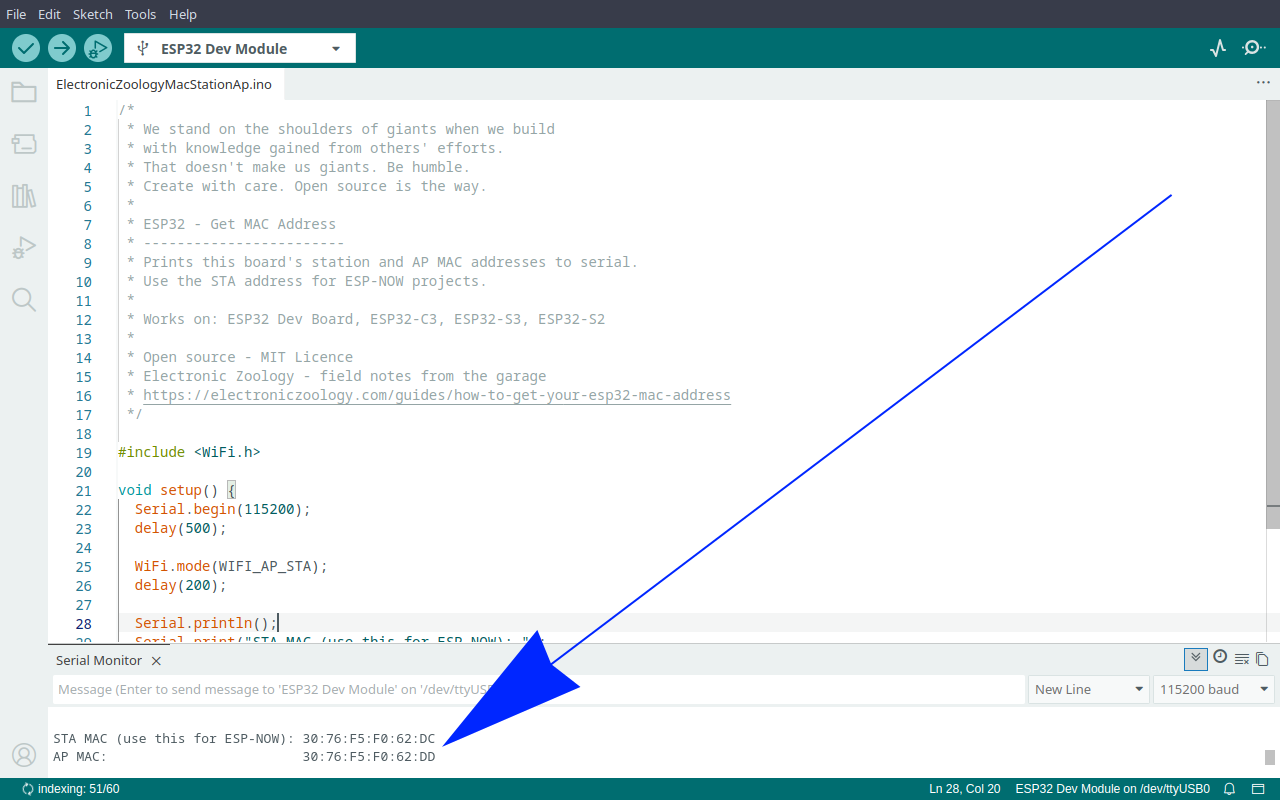
Note the STA address. Write it down or keep the Serial Monitor window open while you edit your sender sketch. The address is the same every time you run the sketch on that board, so you only need to do this once per board.
Where to use it
In ESP-NOW unicast mode, the sender sketch registers the receiver's MAC as a peer. It looks like this:
uint8_t receiverAddress[] = { 0xA0, 0xB7, 0x65, 0x11, 0x22, 0x33 };Each pair of hex digits from the MAC address becomes one byte in the array. Drop the colons and prefix each pair with 0x. The address A0:B7:65:11:22:33 becomes { 0xA0, 0xB7, 0x65, 0x11, 0x22, 0x33 }.
That array goes wherever the broadcast address { 0xFF, 0xFF, 0xFF, 0xFF, 0xFF, 0xFF } was. The rest of the sender sketch stays the same.